









Game description:
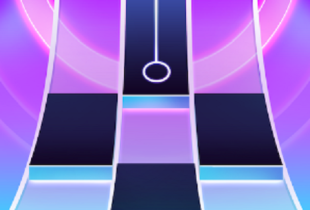
Piano Fire is a rhythm-based game designed around fast input recognition and continuous musical flow. The player interacts with a scrolling interface where notes descend toward a fixed input line, requiring precise timing to maintain progression. Unlike traditional music games that focus on accuracy ratings or long performance sessions, this game emphasizes consistency and reaction under increasing speed. Sessions are structured to be repeatable, allowing players to improve performance through familiarity rather than memorization.
Core Gameplay Loop and Controls
The main gameplay loop in Piano Fire is built on tapping or pressing keys in sync with incoming notes. Each correct input keeps the sequence active, while missed notes interrupt the run. Controls are simple and limited to a small number of inputs, ensuring accessibility across devices. As the session continues, note density and speed increase, forcing players to rely on rhythm recognition instead of visual tracking alone. The game does not pause between sections, creating uninterrupted play that rewards sustained focus.
Music Selection and Difficulty Scaling
Music tracks in Piano Fire are selected to match a wide range of tempos and rhythmic structures. Difficulty is not set through menus but emerges naturally as tracks progress. Early sections introduce patterns gradually, while later segments compress timing windows and introduce overlapping inputs. This design allows players of different skill levels to engage with the same content at different depths. Progress is measured by how long the player maintains control rather than by completing fixed stages.
Scoring Systems and Player Feedback
Scoring in Piano Fire is tied directly to accuracy and streak maintenance. Visual feedback is immediate, showing whether inputs are registered correctly without interrupting flow. The game tracks performance using simple metrics that encourage repetition and improvement. Core feedback and scoring elements include:
· continuous combo counters
· visual indicators for timing accuracy
· increasing score multipliers during streaks
· immediate reset after missed inputs
· summary results shown after each run
These systems focus attention on rhythm consistency rather than isolated success.
Visual Layout and Interface Design
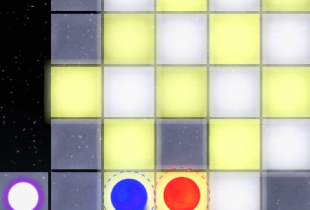
The visual interface uses a vertical scrolling layout with clear separation between note lanes. Colors and contrast are chosen to keep notes readable at higher speeds. Interface elements are minimal, ensuring that visual clutter does not interfere with timing. Background effects are restrained and do not alter gameplay conditions, maintaining a stable visual environment across sessions.








Comments