









Game description:
Draw And Animate is a creative application where players design drawings and turn them into animated sequences. Instead of completing missions or progressing through levels, the main focus is on creating visual content through simple animation techniques. Users draw characters, shapes, or scenes on a digital canvas and then build motion by arranging multiple frames. By displaying these frames one after another, the game creates the effect of movement. This process allows players to experiment with animation while working directly with their own artwork.
Drawing The First Frames
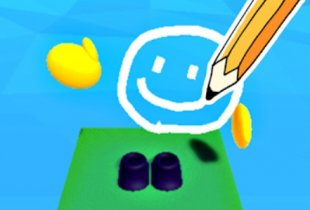
The animation process in Draw And Animate begins with creating the initial drawings. Players use a digital canvas that includes tools such as brushes, color palettes, and erasers. With these tools, they can design characters, objects, or backgrounds that will later become part of an animated scene.
Each frame in the sequence represents a small change in position or appearance. For example, a character might move an arm slightly or shift position across the screen. By drawing several frames that show these small adjustments, players create the foundation for the animation.
Animation Tools And Editing Options
After drawing the frames, players organize them on a timeline that determines how the animation will play. The application provides several tools that allow users to control how the sequence behaves.
Typical activities in Draw And Animate include:
· drawing characters and objects on the canvas
· creating multiple frames that represent movement
· arranging frames on a timeline
· adjusting playback speed and frame duration
· exporting the finished animation as a file
These tools help players convert static drawings into moving scenes.
Experimenting With Motion And Style
As users become familiar with the system, they can experiment with different types of animation. Simple movements such as bouncing objects or walking characters can be created by adjusting positions between frames. More complex scenes may include multiple characters or background elements.
The drawing tools also allow experimentation with different colors, line styles, and shapes. By combining these elements, players can develop unique animation styles and create short animated clips that reflect their own ideas.


Comments